Acrediant
Insurance credentialing for independent therapy practices.
Live at Acrediant.com. First Kansas practice credentialed start to finish, with first payer approvals in July and August of 2026.
- Co-Founder
- 2025 to present
- Product, UX, systems

Problem
Why we built it
My wife Kate is a therapist. When she changed practices, getting credentialed with insurance took her months. Therapists can’t simply put in two weeks’ notice when they change jobs. It can be a six-month ordeal.
Every insurance payer runs its own application. Some are PDFs, some are web portals, some are paper or fax. They all ask for the same basic information, but each one wants something the others don’t, and each one wants it in a different format. One panel can take a therapist 30 to 50 hours of paperwork. Then the application sits in review for 90 to 150 days with no way to see where it stands. If one field doesn’t match, the clock starts over.
In a solo practice there is no office staff. The therapist is the admin. The services that will do this for you are priced and built for enterprise, or they don’t let you own your own credentials and take a percentage of every session. We couldn’t find one built for a practice of one, so we built it.
Branding
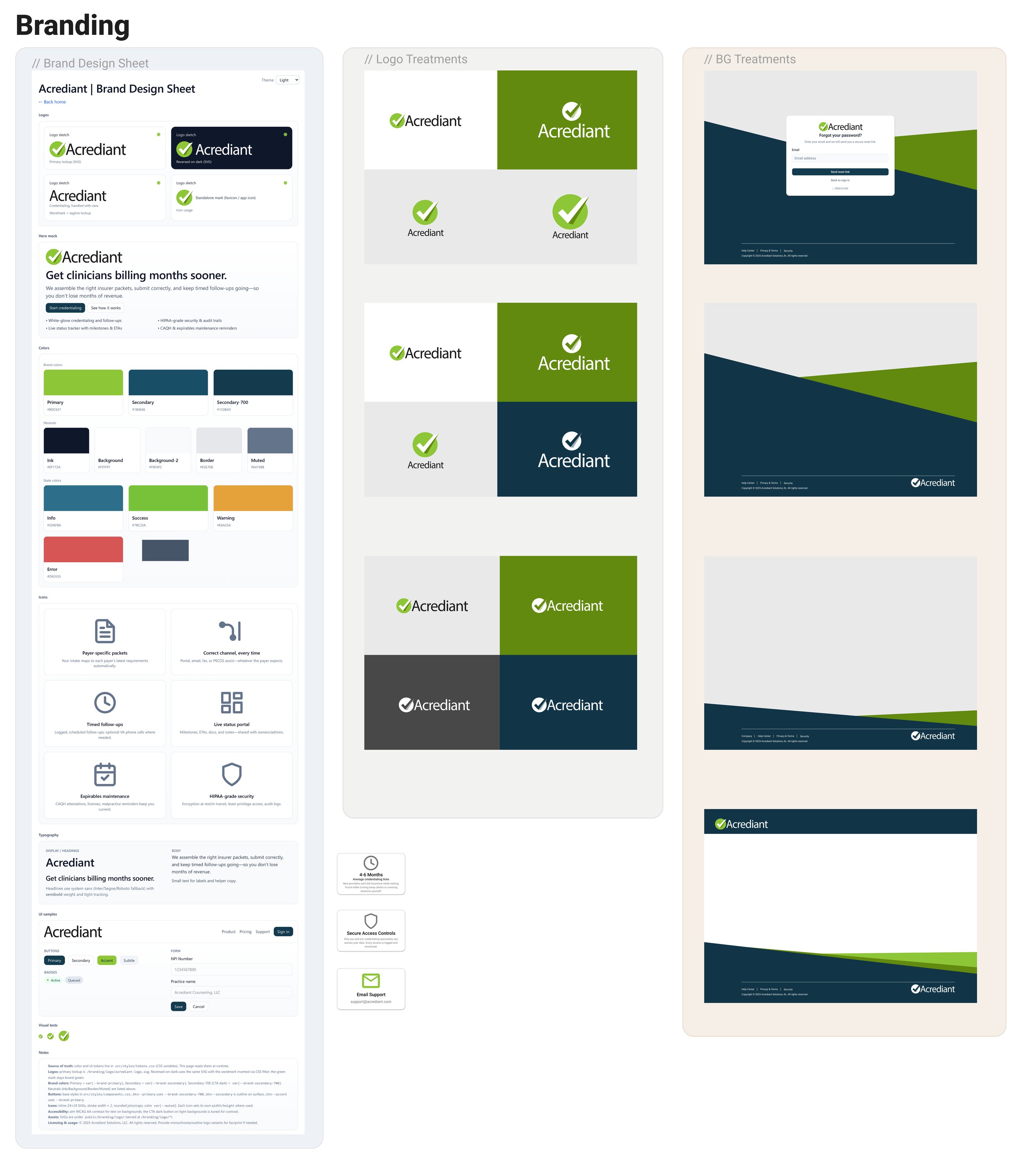
I started with the brand. Nothing final, but good enough to build on: a logo, a small palette, type and a few core components. Settling the colors early set the tone of the product before a single screen existed, and gave us a feel for the message we wanted to send.
It was simple, and it turned out to be one of the most valuable early decisions. The palette and rules became one shared source for the CSS. Because I was using AI tools while building, that mattered even more: every new screen had the same swatches and design principles to follow, so the product stayed consistent as it grew.
Mapping it first
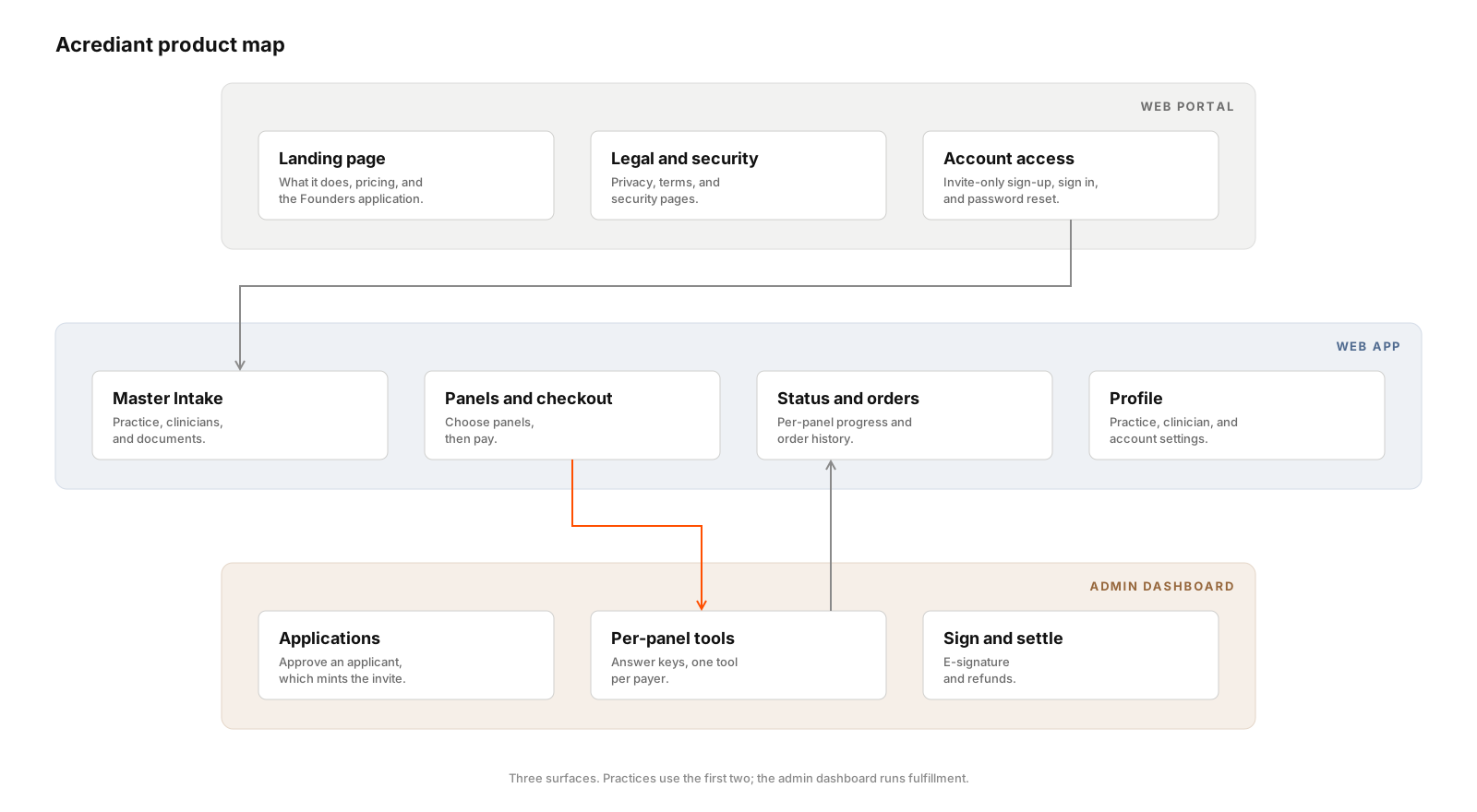
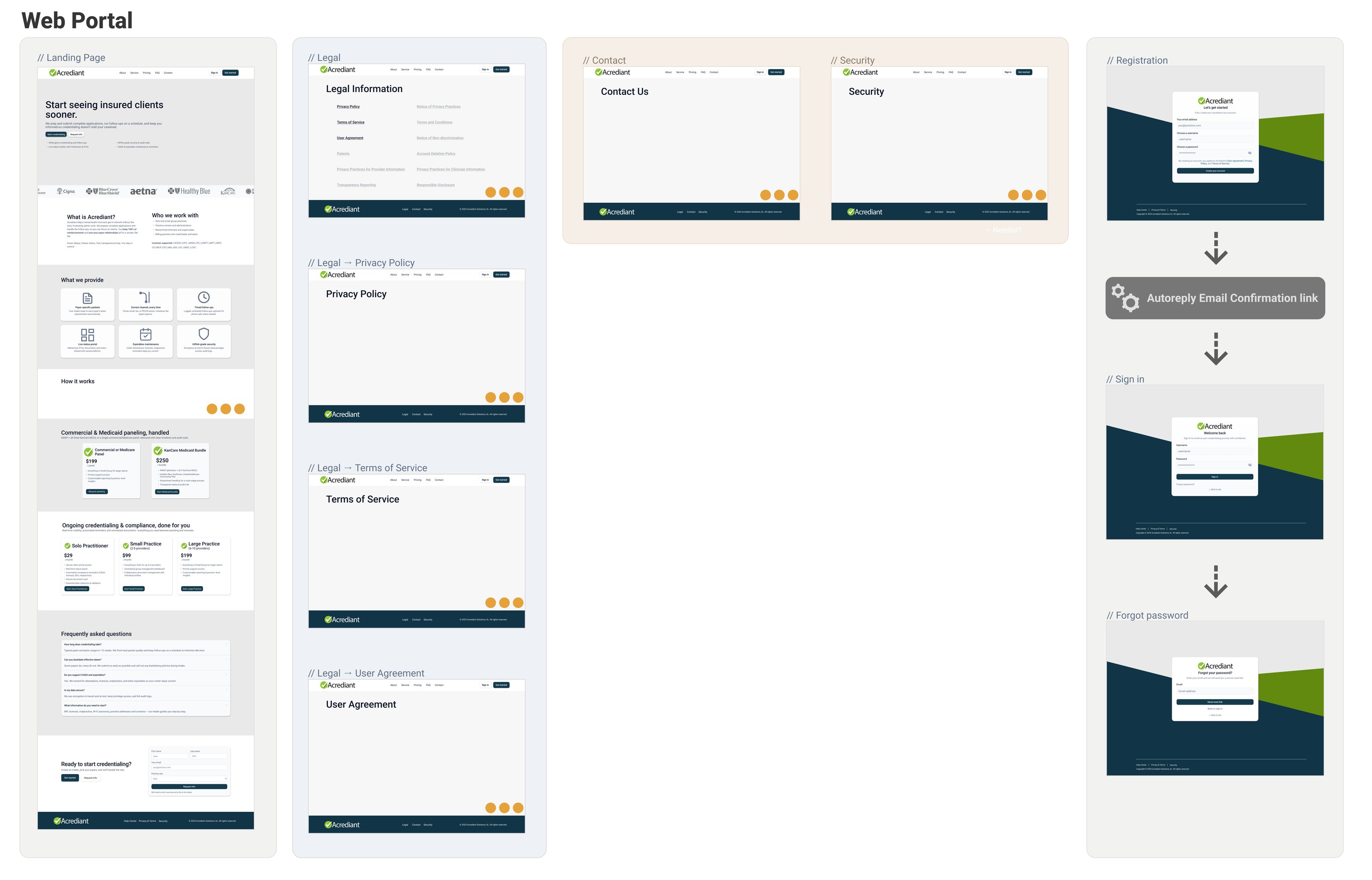
Before building anything, I mapped the whole product in Figma: the public site, the customer app and the admin side. The public site came first. The board below is the web portal: the landing page, legal pages, contact, security, registration and sign-in.
Wireframe to polished
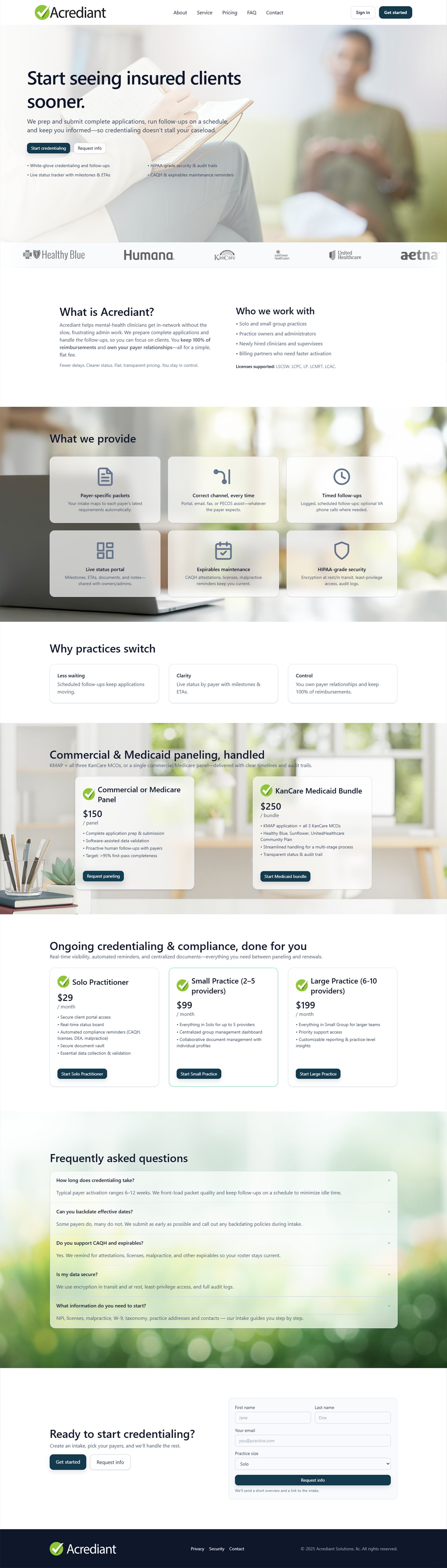
The landing page went from wireframe to polished design in Figma before any code. The pricing shown here is an early concept and changed before launch.
Web app concept
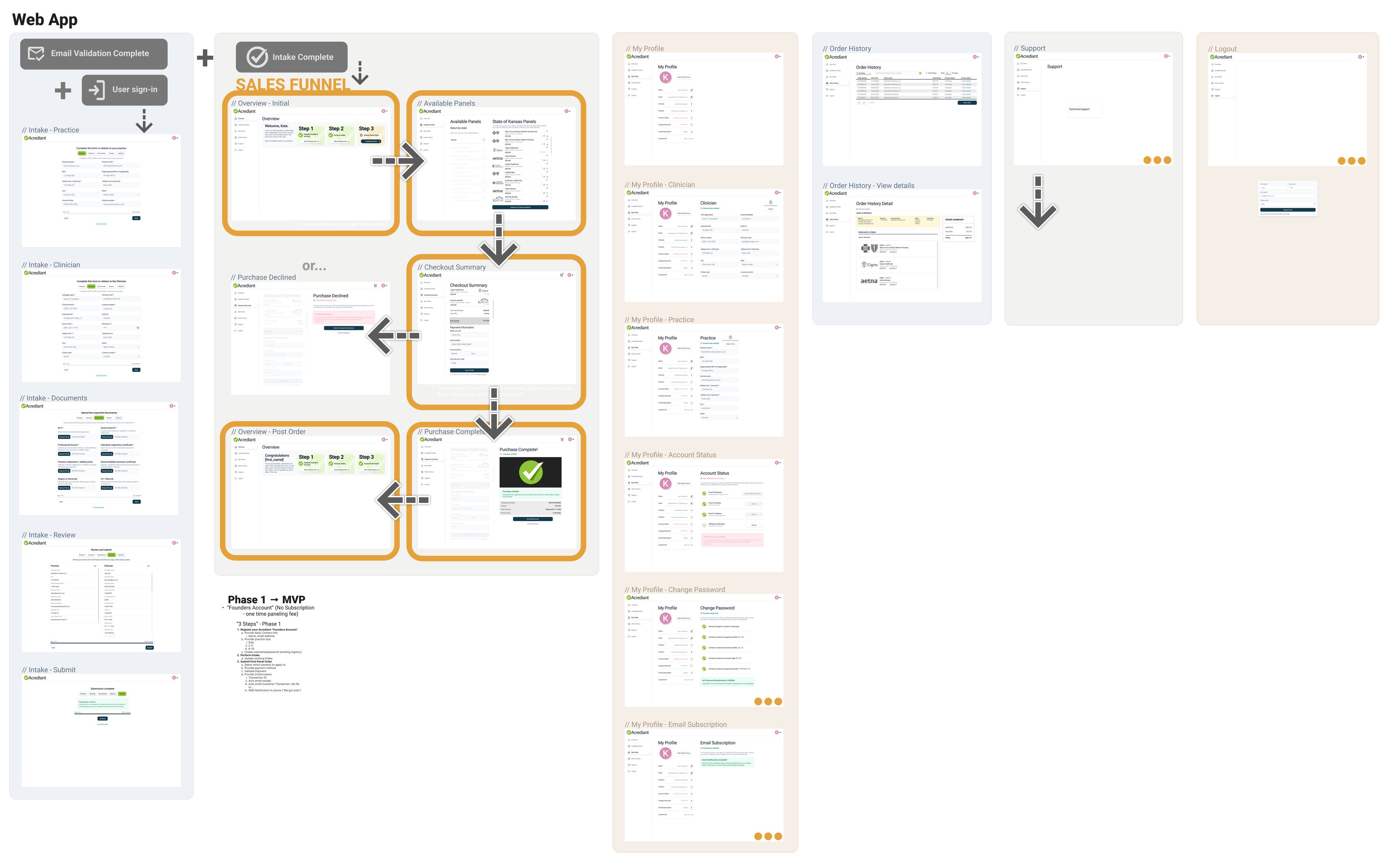
Next came the customer app: what a practice sees after signing in.
Cutting to MVP
Therapists are inundated with documentation. They don’t want yet another portal to learn. They want to place an order and have it handled.
So I cut the product to three steps and parked everything else.
Phase 1 → MVP
The “Founders Account”: no subscription, a one-time fee per panel.
-
Register a Founders Account
- Name and email
- Practice size: solo, 2–5 or 6–10
- Username and password
-
Complete the intake
- One master intake
- Saved, and updated as the practice changes
-
Submit the first panel order
- Choose the panels to apply to
- Add a payment method
- Payment validated
- Confirmation: transaction ID and an emailed receipt
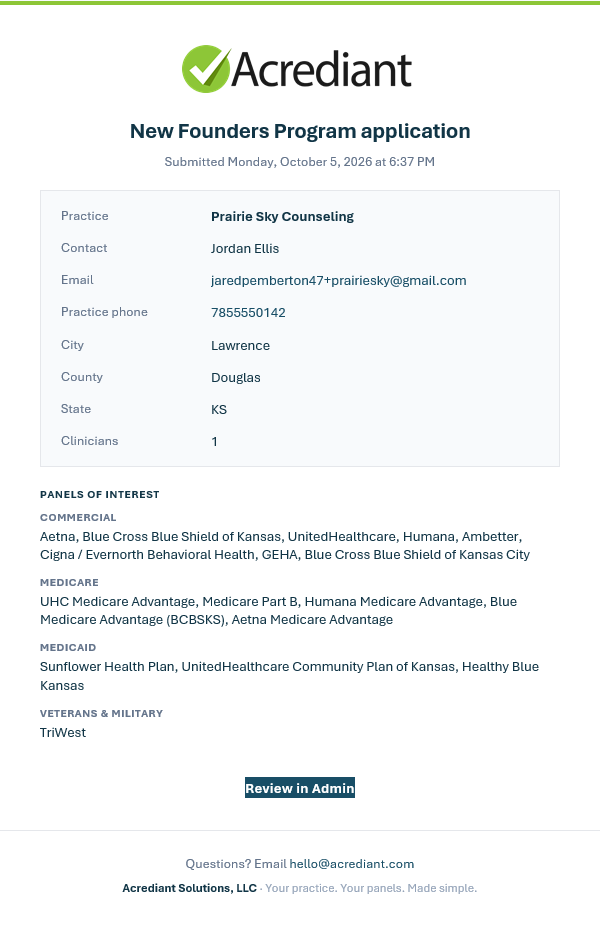
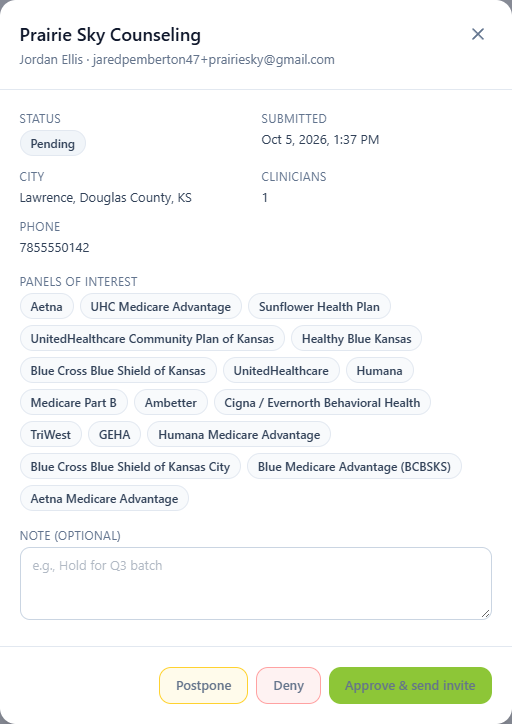
And on our side: an email notification, and the new order appears on the admin dashboard.
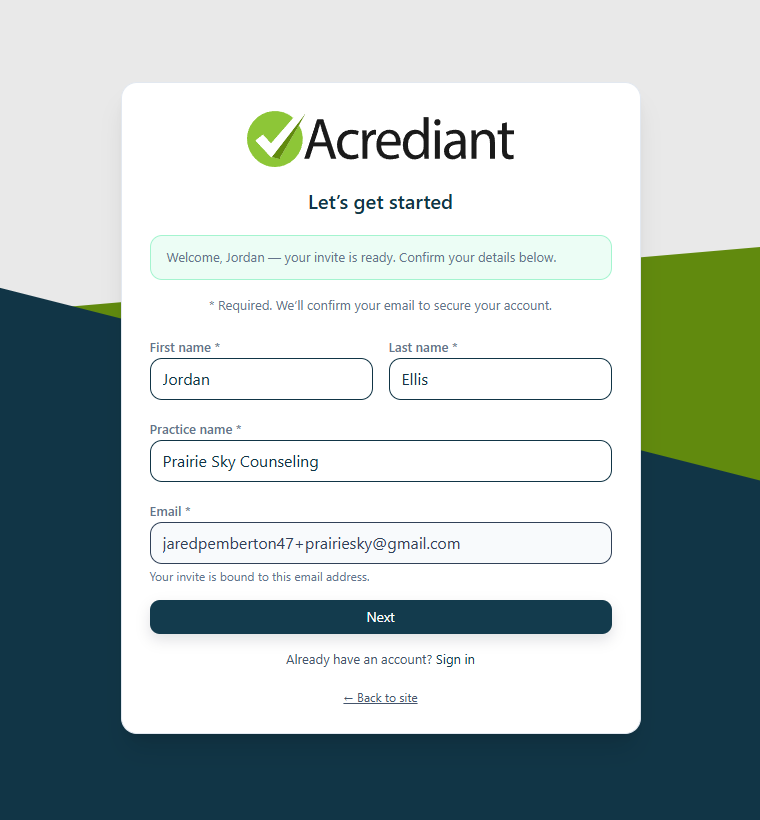
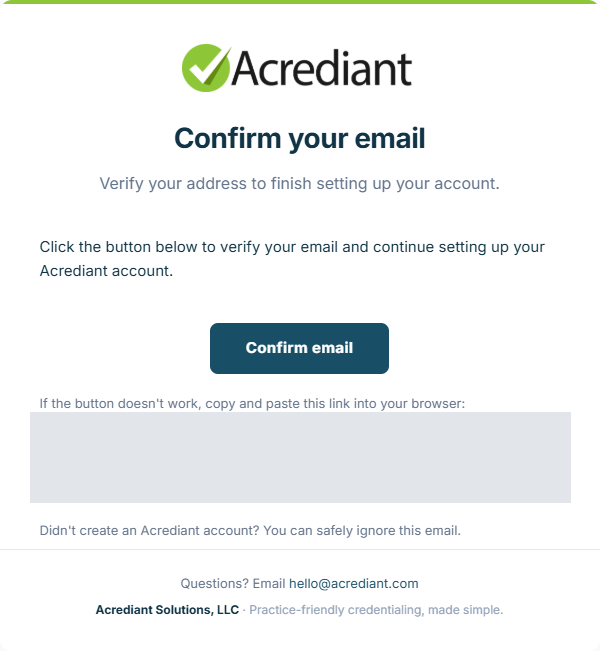
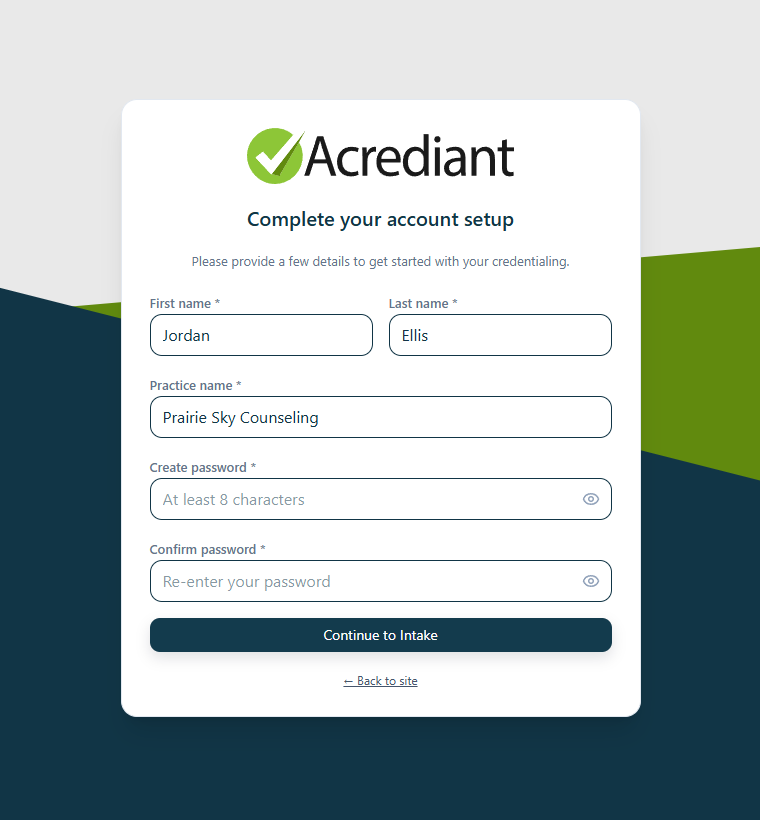
Step 1: Registration
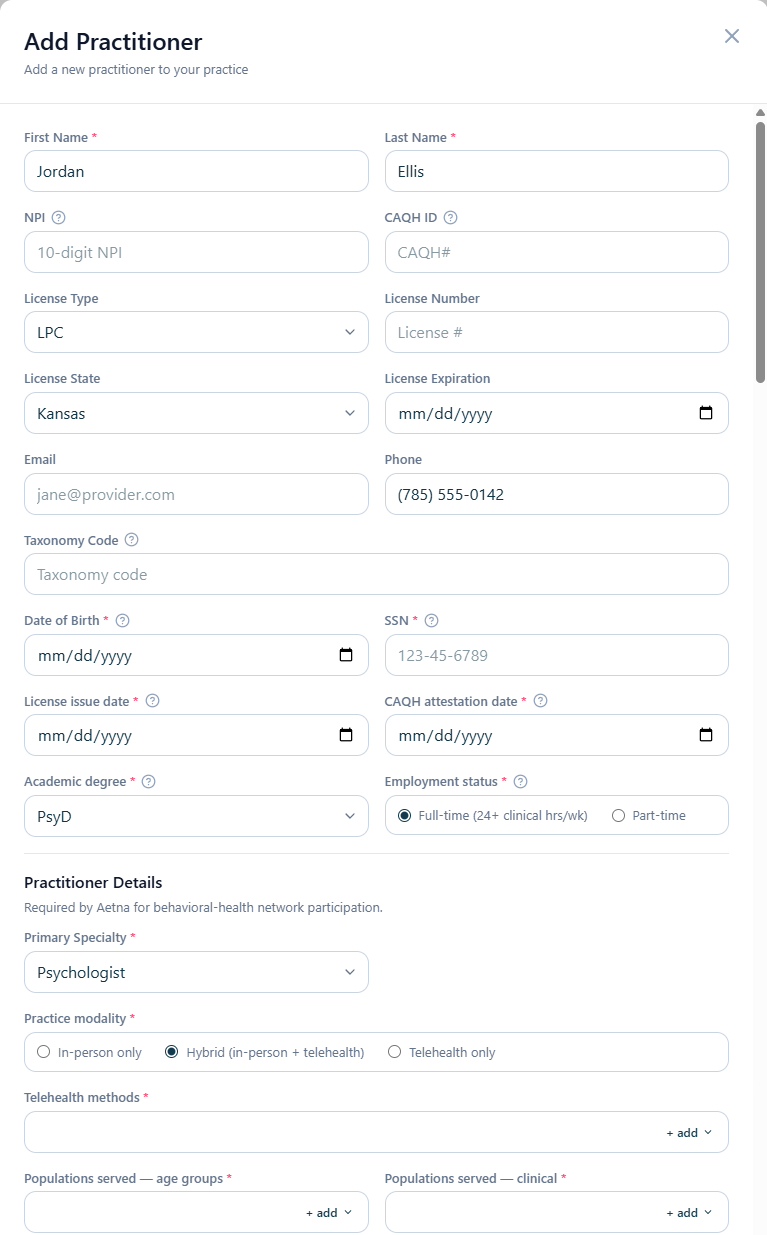
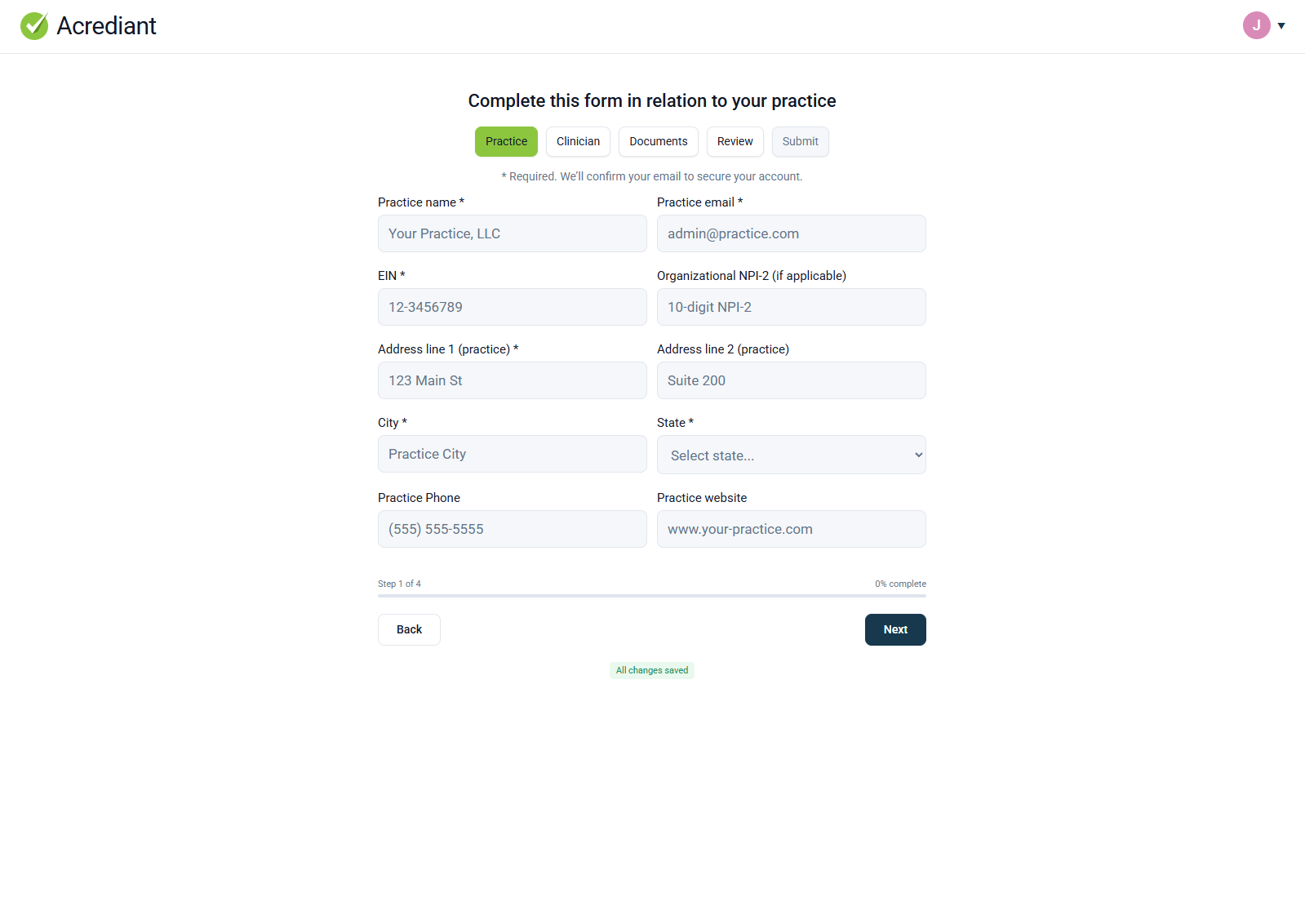
Intake: Practice + Clinician
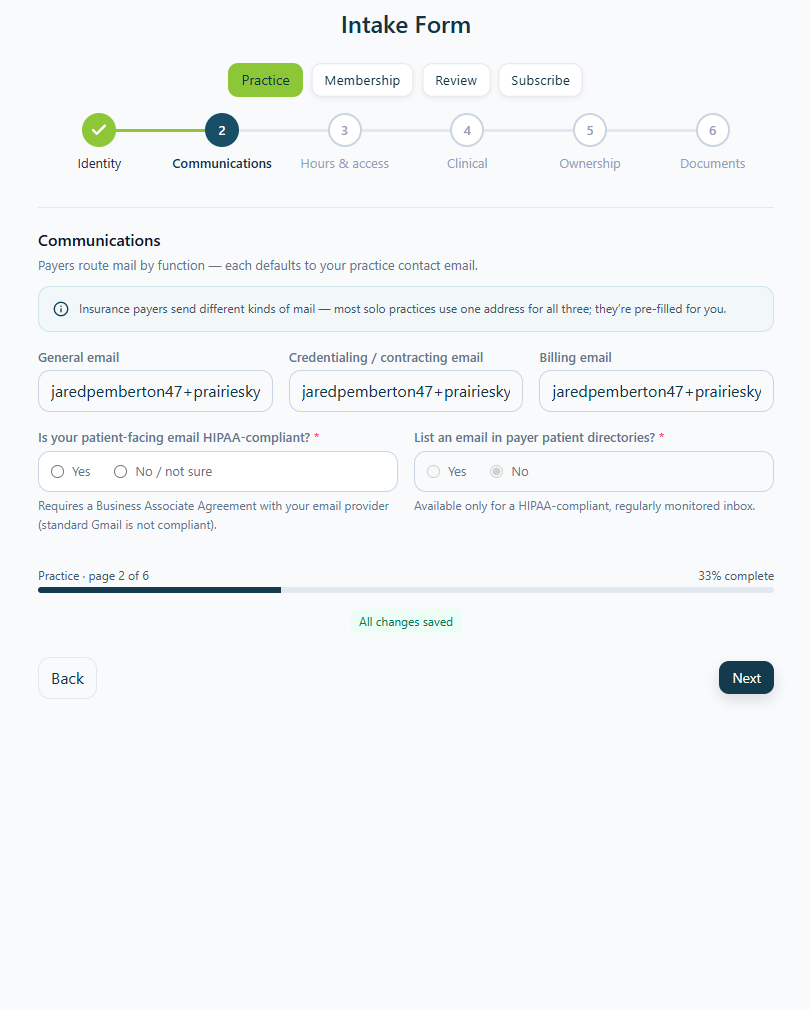
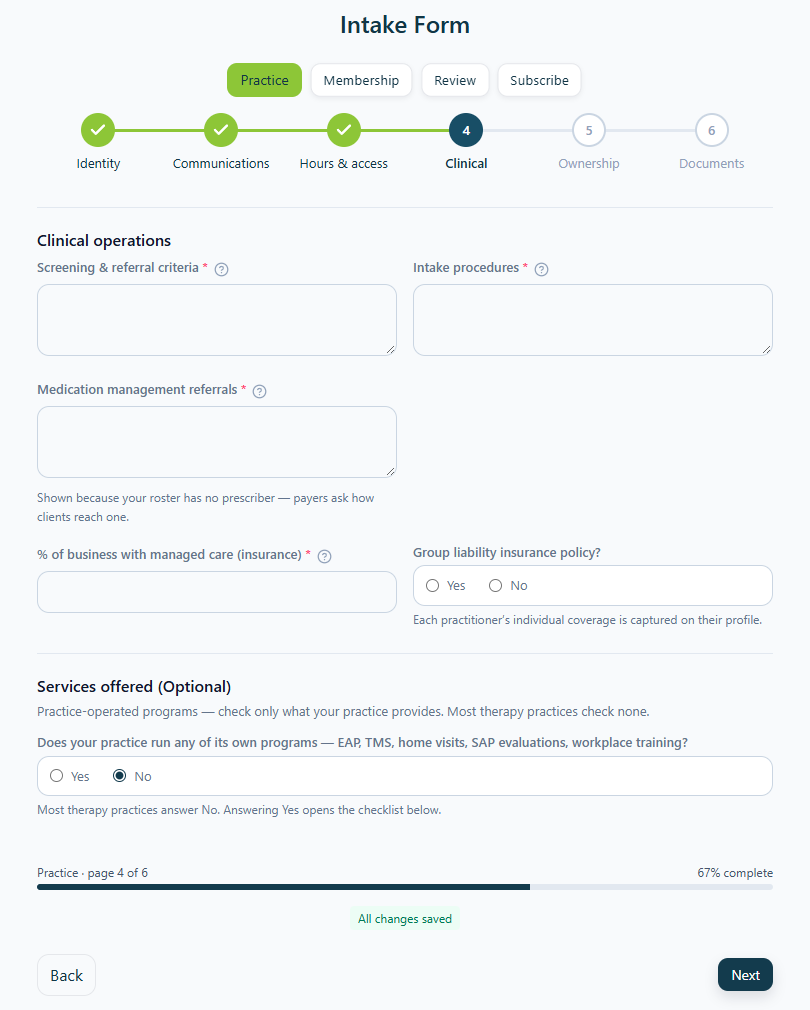
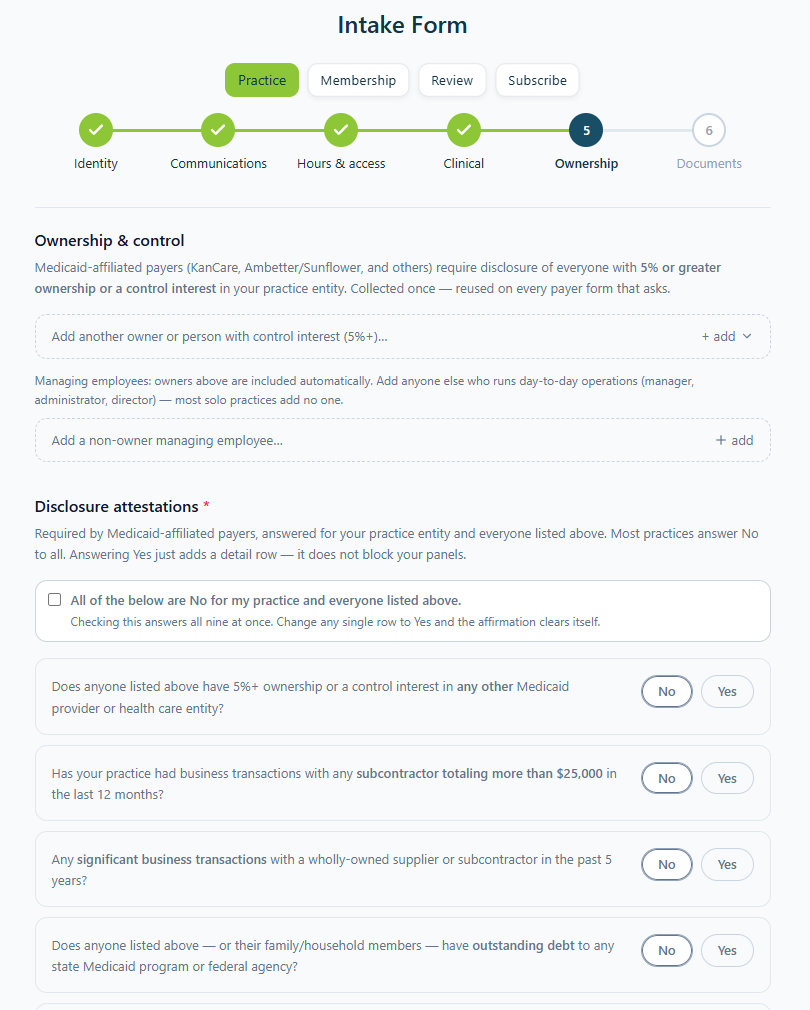
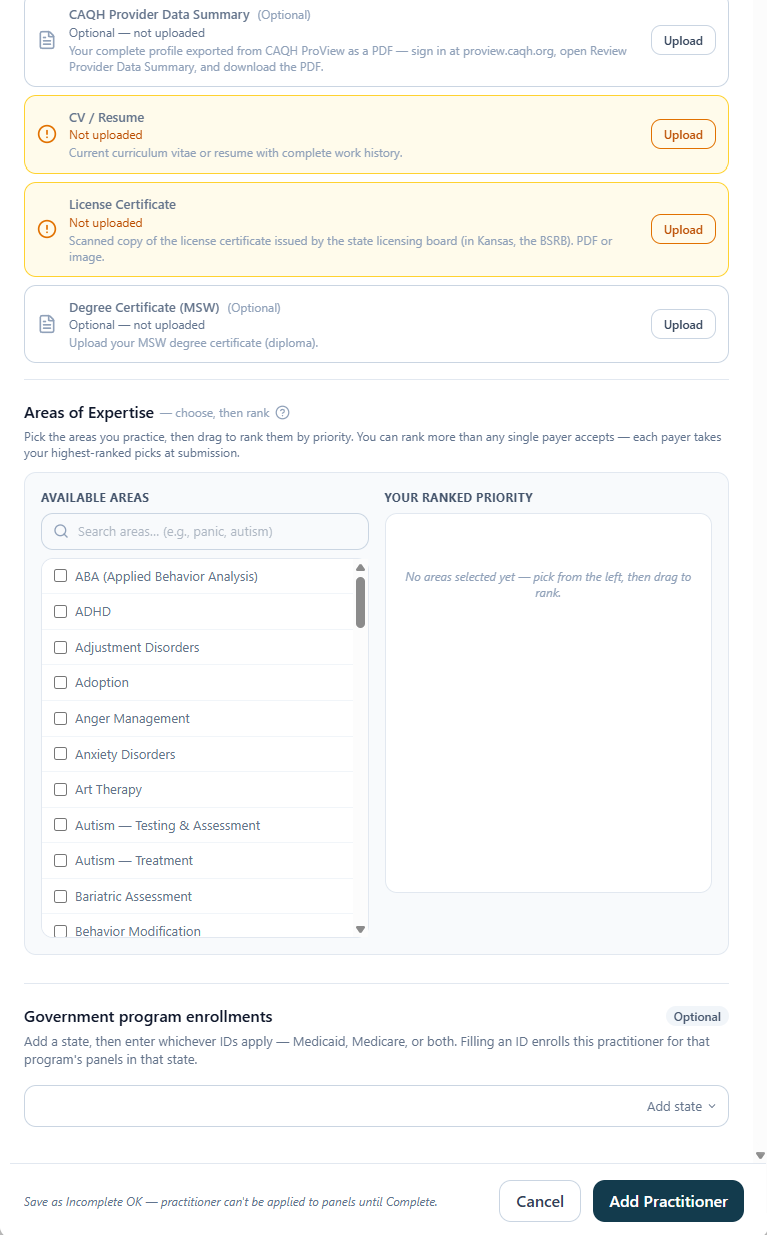
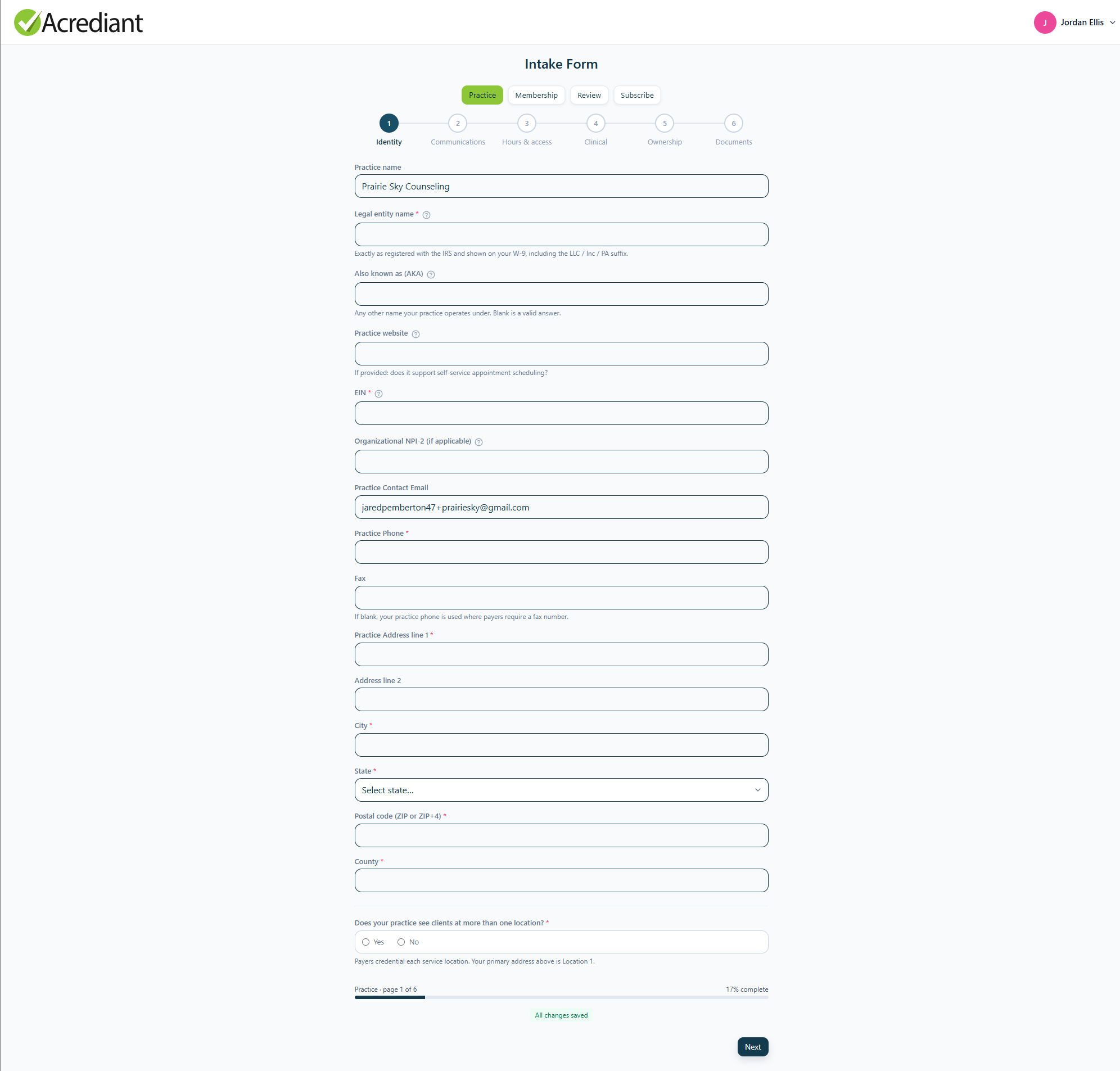
Payers ask overlapping questions, each in its own format. The intake asks each one once and reuses the answer on every payer’s form.

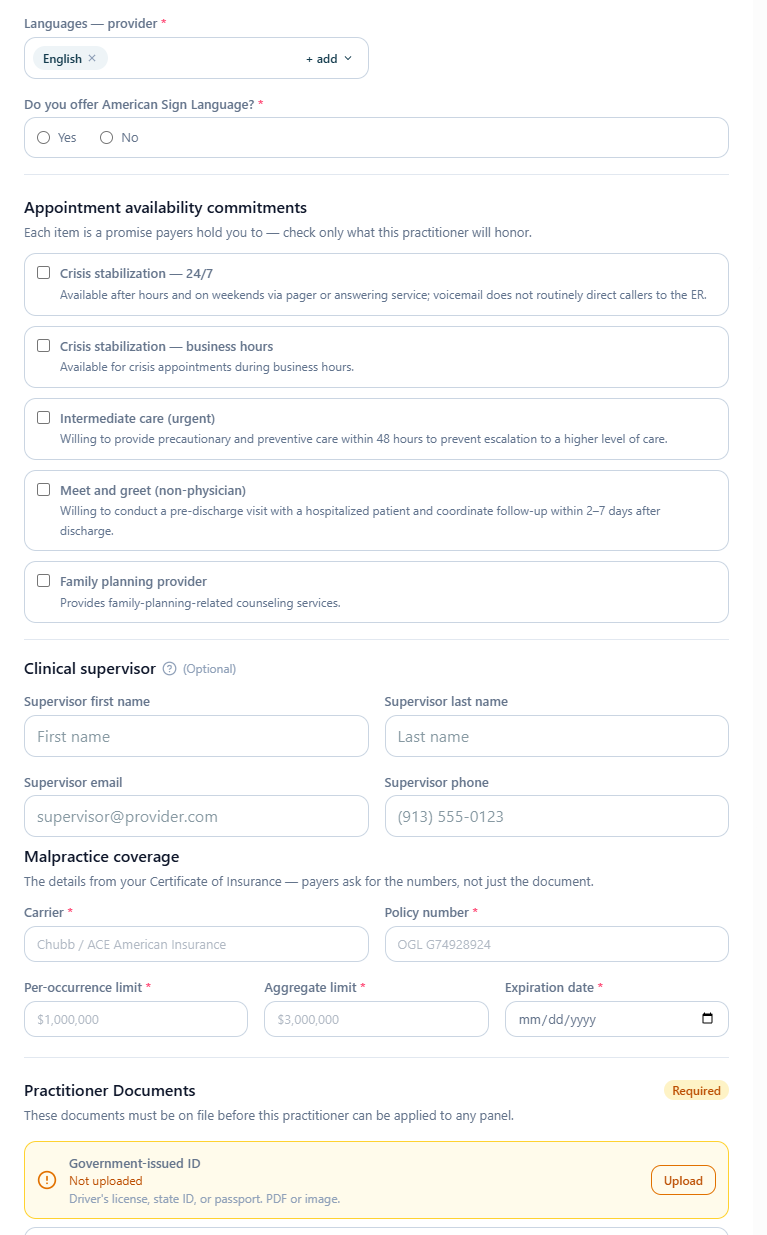
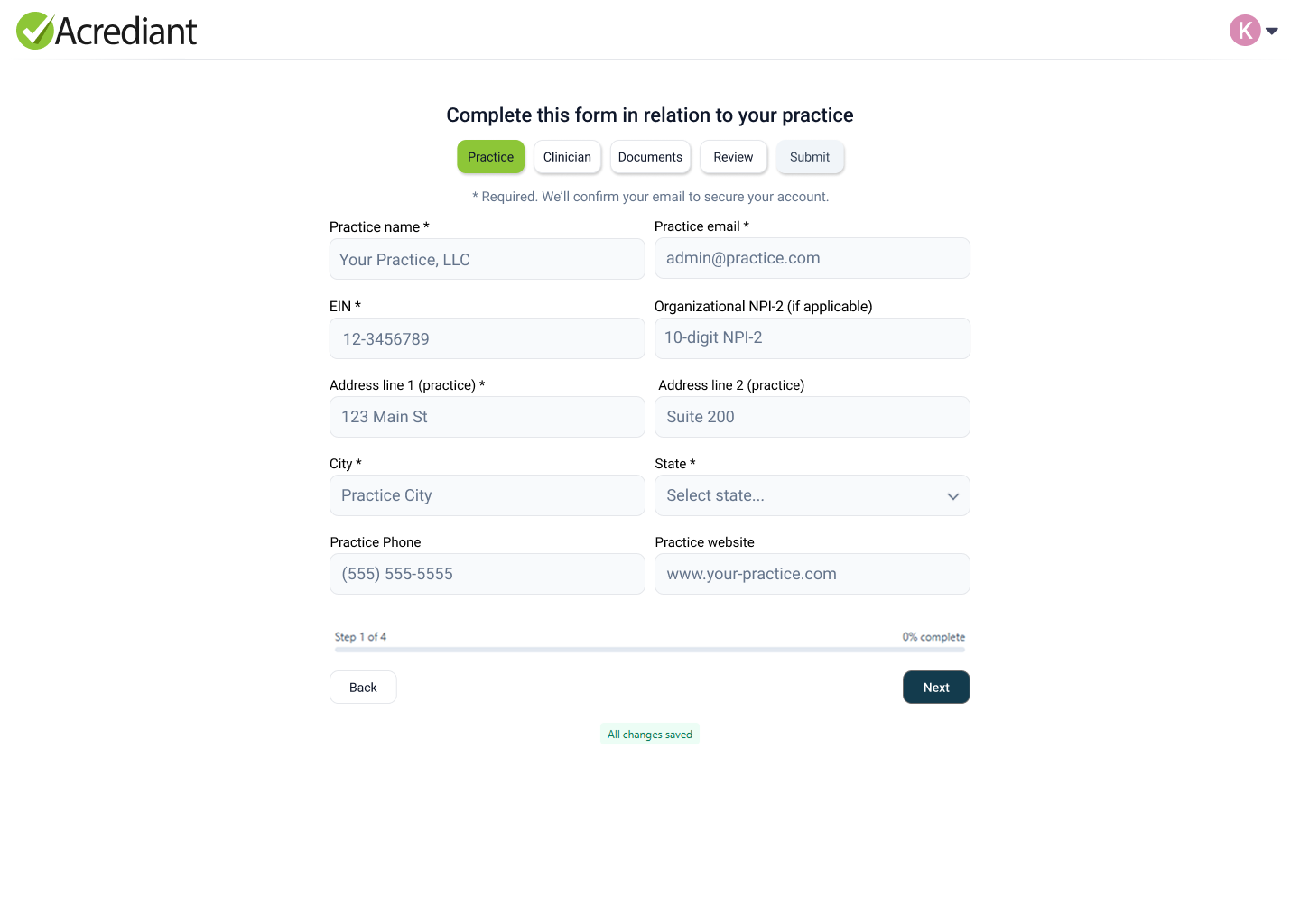
It didn’t start that way. I added one insurance company at a time, and each one needed data the others didn’t. As the intake grew, I split it in two: one for the practice, filled in once, and one for each clinician. Then I broke the practice side into pages so no single screen was overwhelming.
Practice intake
Clinician intake
From intake to order
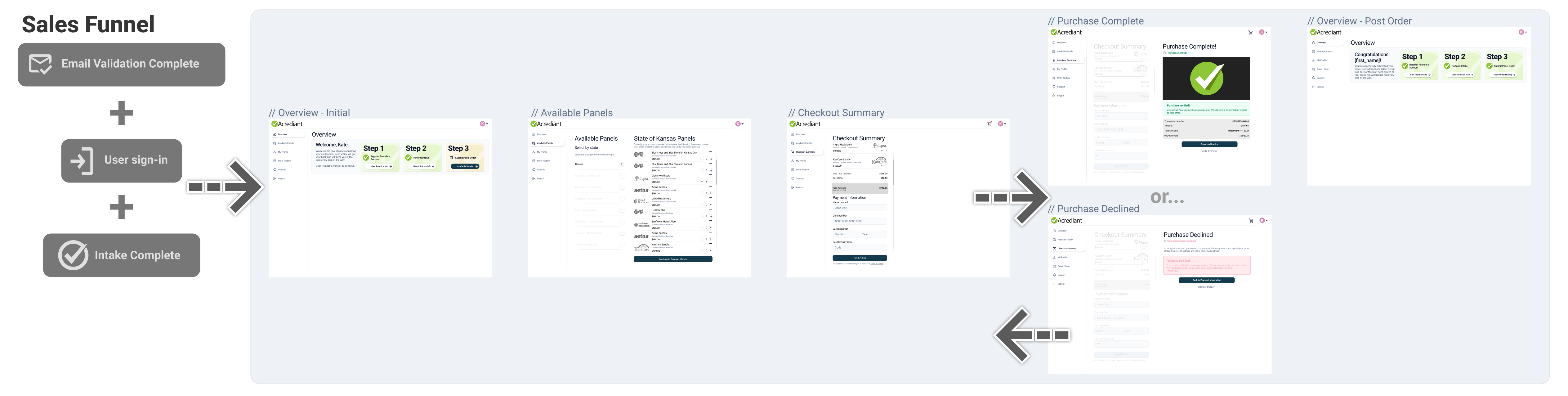
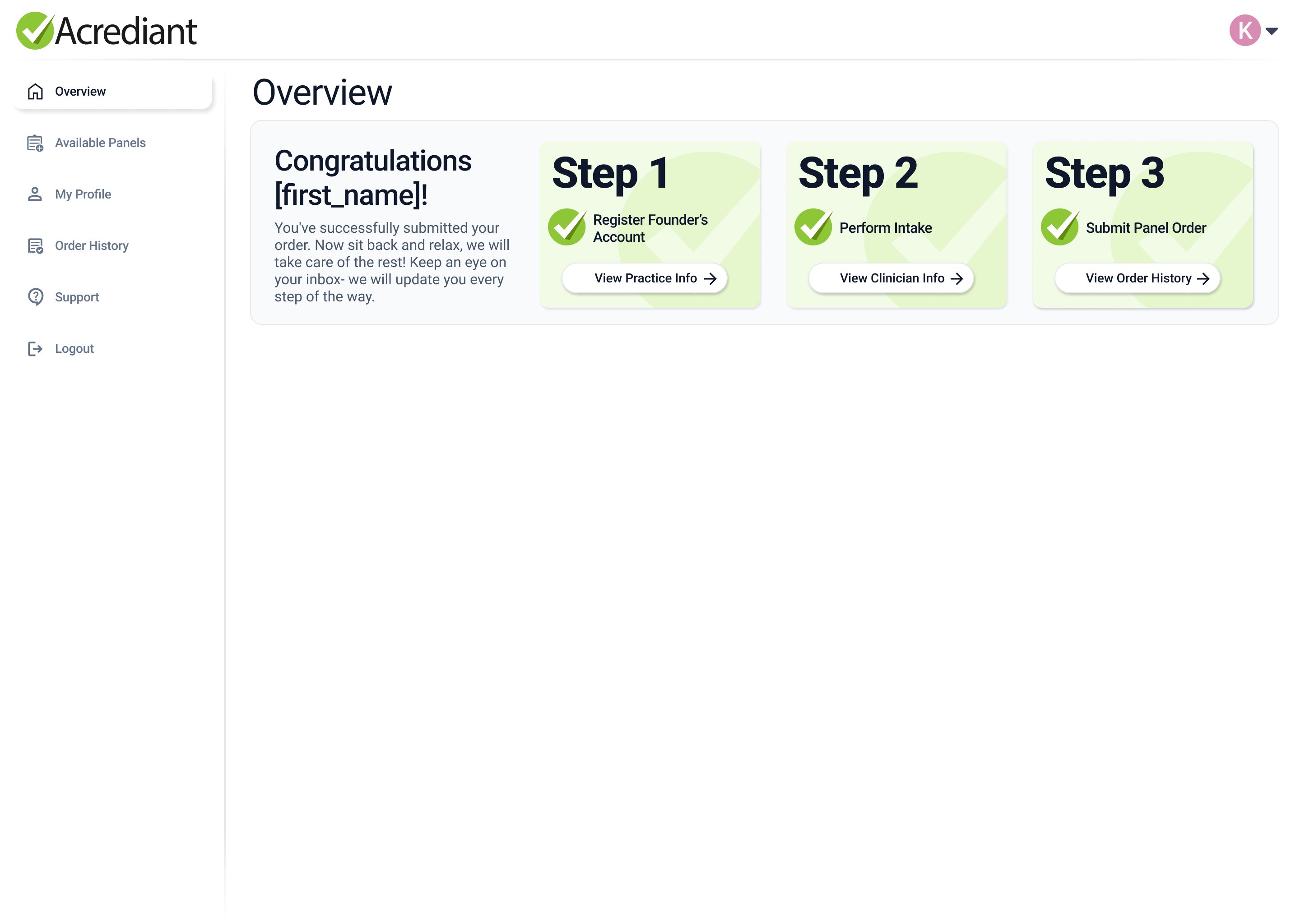
The order was the third step of the MVP. By the time someone reaches it they’ve validated their email, signed in and finished the intake for both the practice and a clinician, so we wanted the actual purchasing part to be as simple as possible. The overview greets them by name and shows two of three steps already done.
From there the path is short. Pick a state, choose the insurance panels you want, review the summary, pay. I designed the declined-payment screen alongside the success screen, so a failed card sends the customer back to checkout. A completed purchase returns them to the same overview they started on, now with all three steps checked off.
Concept → Prototype → Shipped
Every customer-facing screen was designed in Figma first, then built as an HTML prototype, then built for real.
We were learning as we went, building the backend for one insurance panel at a time. The process had to stay forgiving, with room to keep iterating as payer requirements change and panels are added.
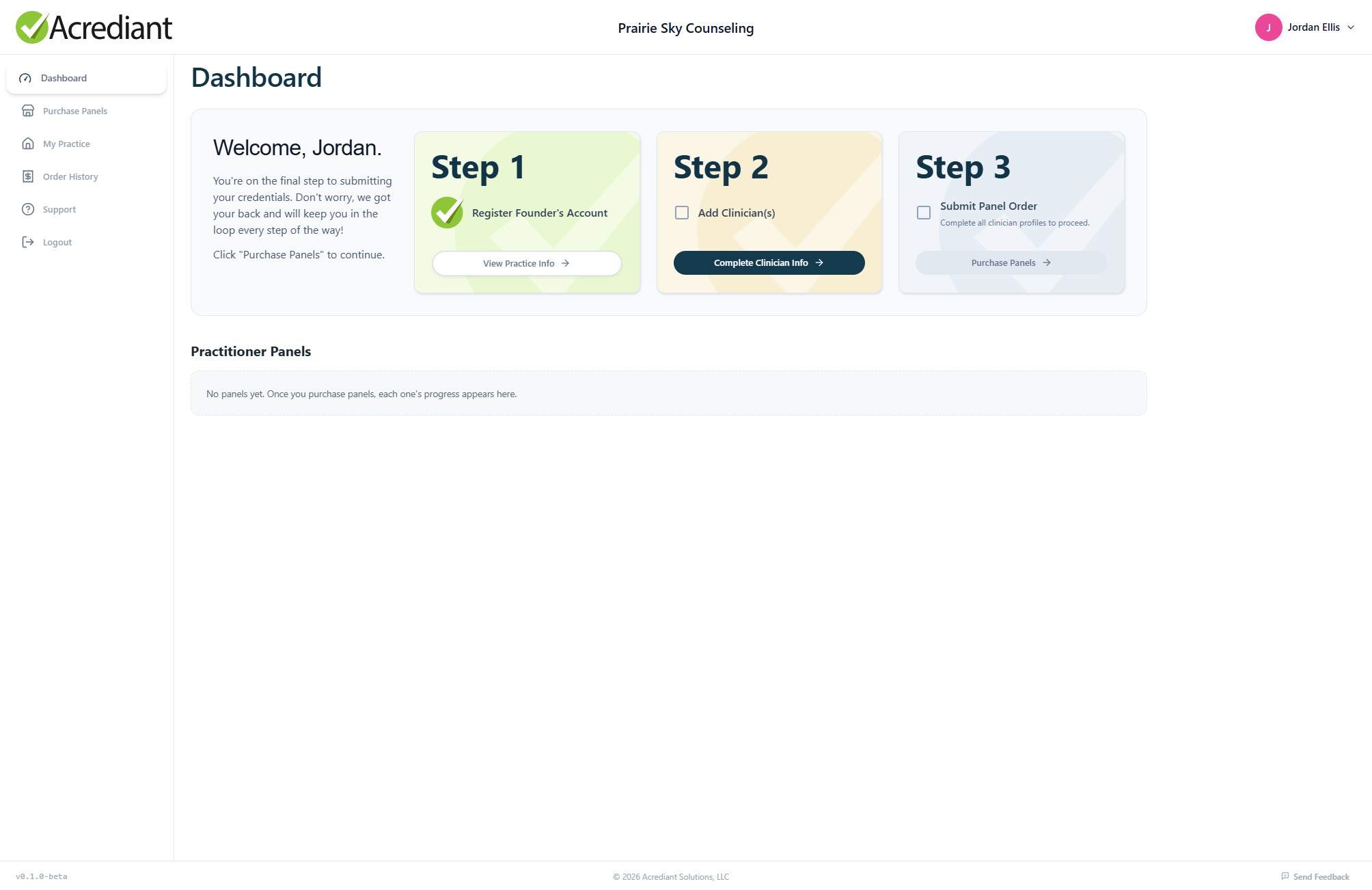
A therapist can’t see insured clients until they’re credentialed, and credentialing takes a long time. It usually gets held up by something trivial. So transparency at every step was central to the design: the dashboard shows where each application stands, with no need to call each payer to ask. It also tracks the things that expire, like licenses, CAQH attestations and malpractice coverage, so nothing lapses while an application is in review.
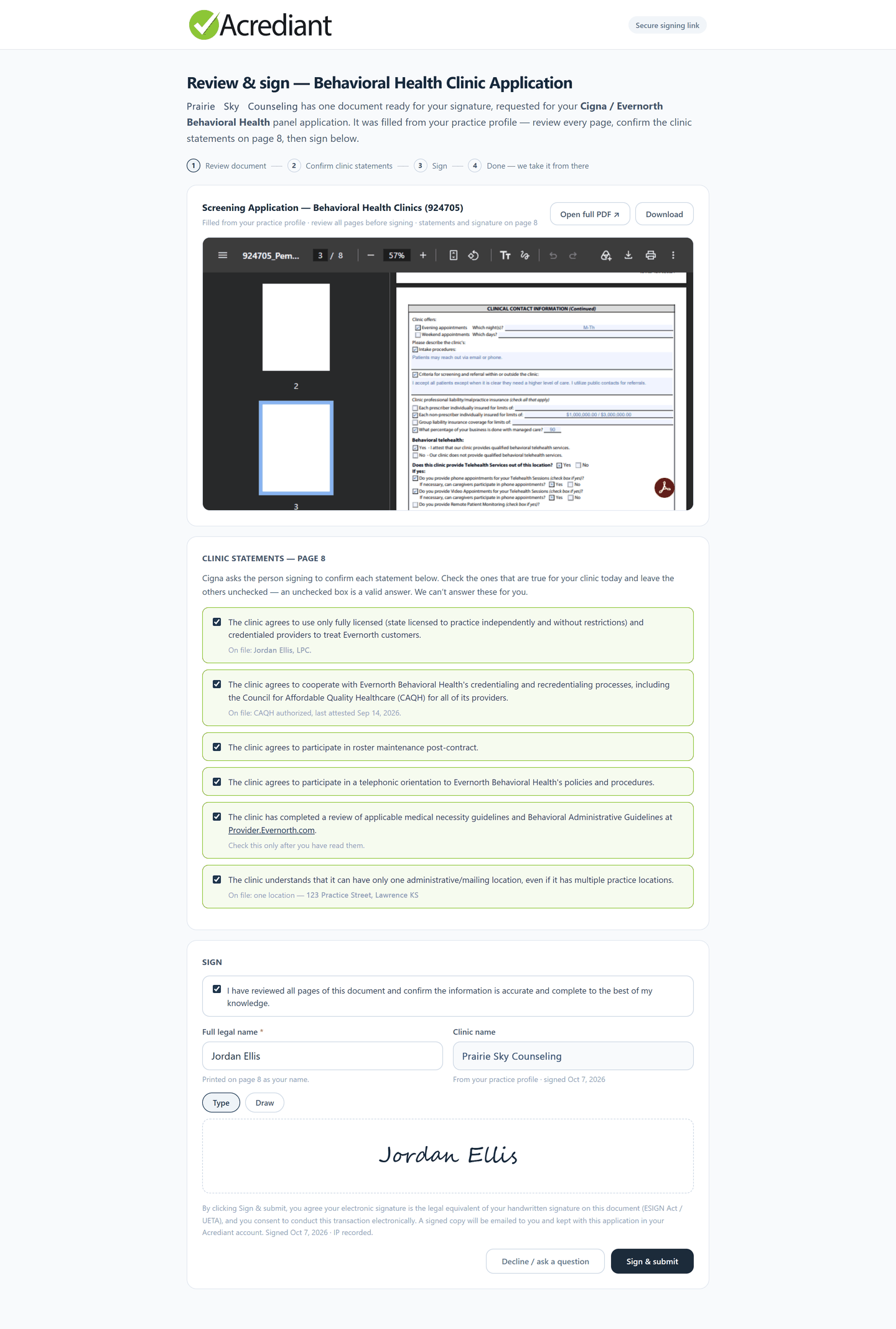
Behind the curtain
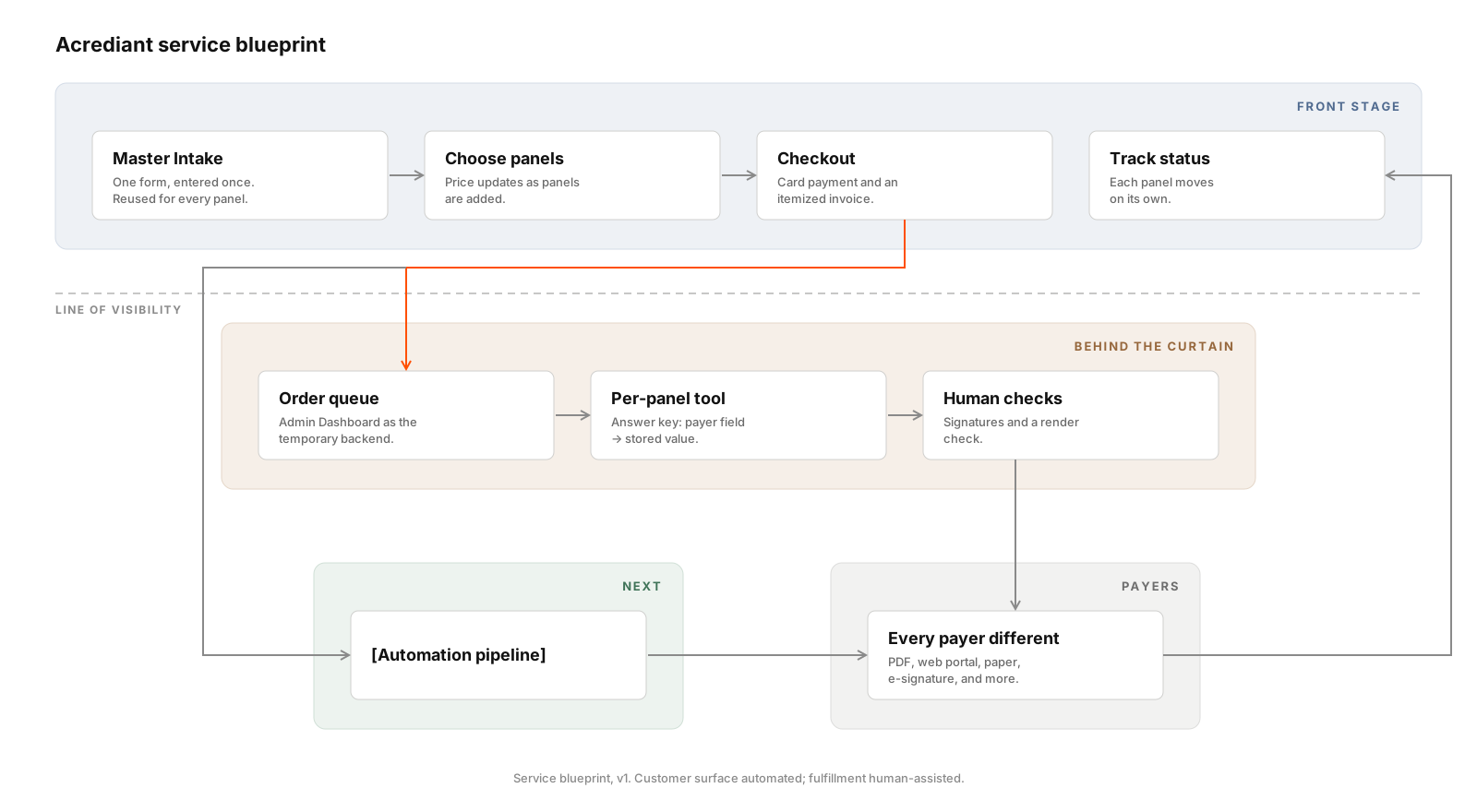
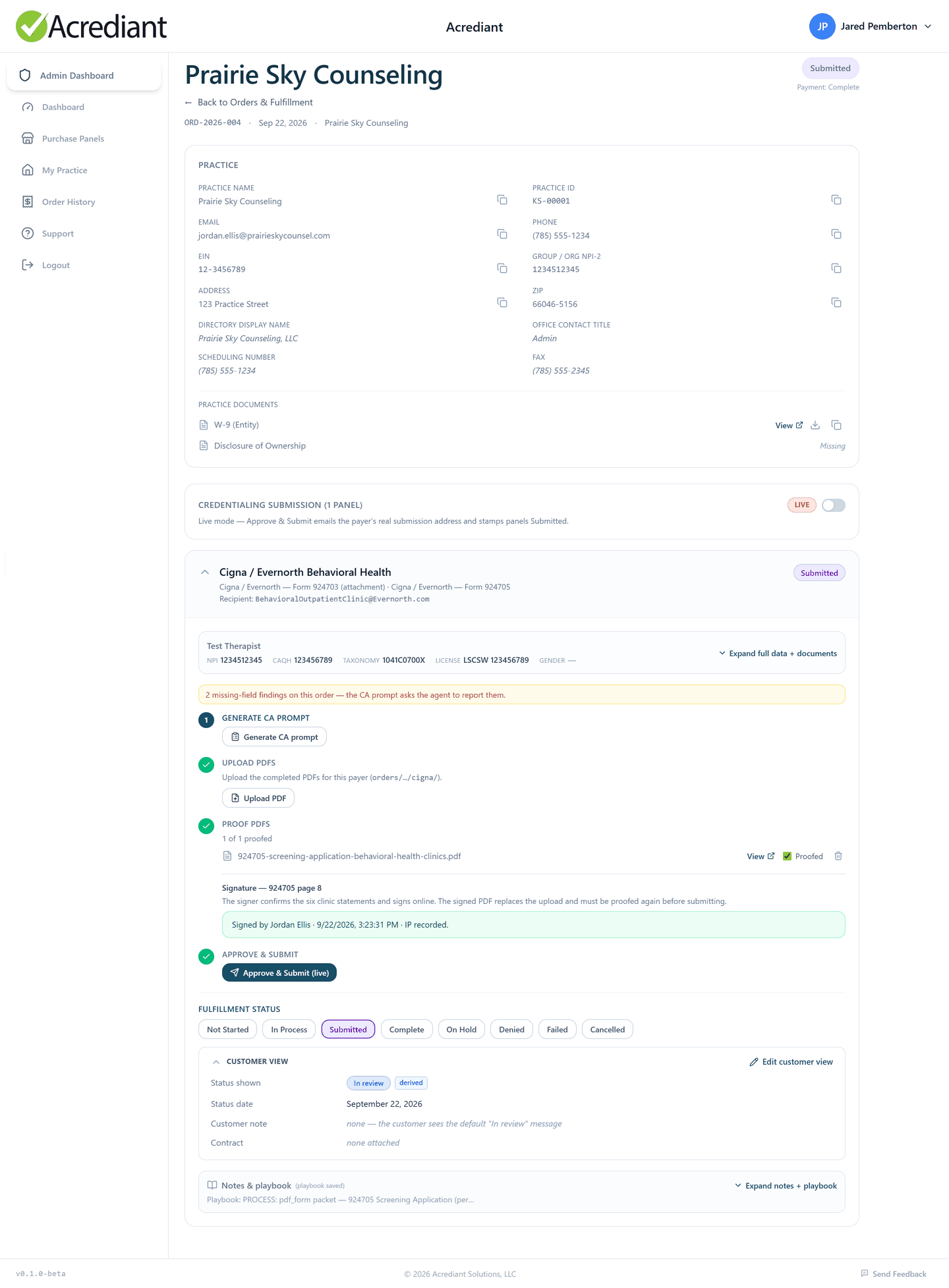
I designed the customer side as if it were fully automated. Behind it, fulfillment runs by hand, with a purpose-built tool for each payer (a “Wizard of Oz” setup).
Each payer has its own playbook: which form, which submission channel, and which fields cause rejections. A field-by-field answer key is checked before anything goes out, and we only write a key after we’ve seen the real form.
Every manual run shows which steps repeat. Those get automated first.
Result
- Live at Acrediant.com.
- Built for solo and small-group mental health practices, starting in Kansas.
- First Kansas practice credentialed start to finish, with first payer approvals in July and August of 2026.
- Card billing live since September 2026.
- E-signature built into the application flow (September 2026).
Stack
Next
Finish the tools for the remaining Kansas panels, then automate the steps that repeat most.